01
Conversations
Assigned and unassigned queues, realtime updates, unseen counts, and unified thread history.
EasySupport
EasySupport combines live chat, email conversations, tickets, channel controls, reporting, and billing-aware workspace logic into one operational surface.
The module presentation stays restrained and sharp: enough space, enough contrast, and enough hierarchy that the product feels intentional.
Assigned and unassigned queues, realtime updates, unseen counts, and unified thread history.
Web and email channel types with dedicated configuration, collaborators, pre-chat forms, and CSAT.
Priority, assignment, linked customers, attachments, and deeper tracking without leaving the workspace.
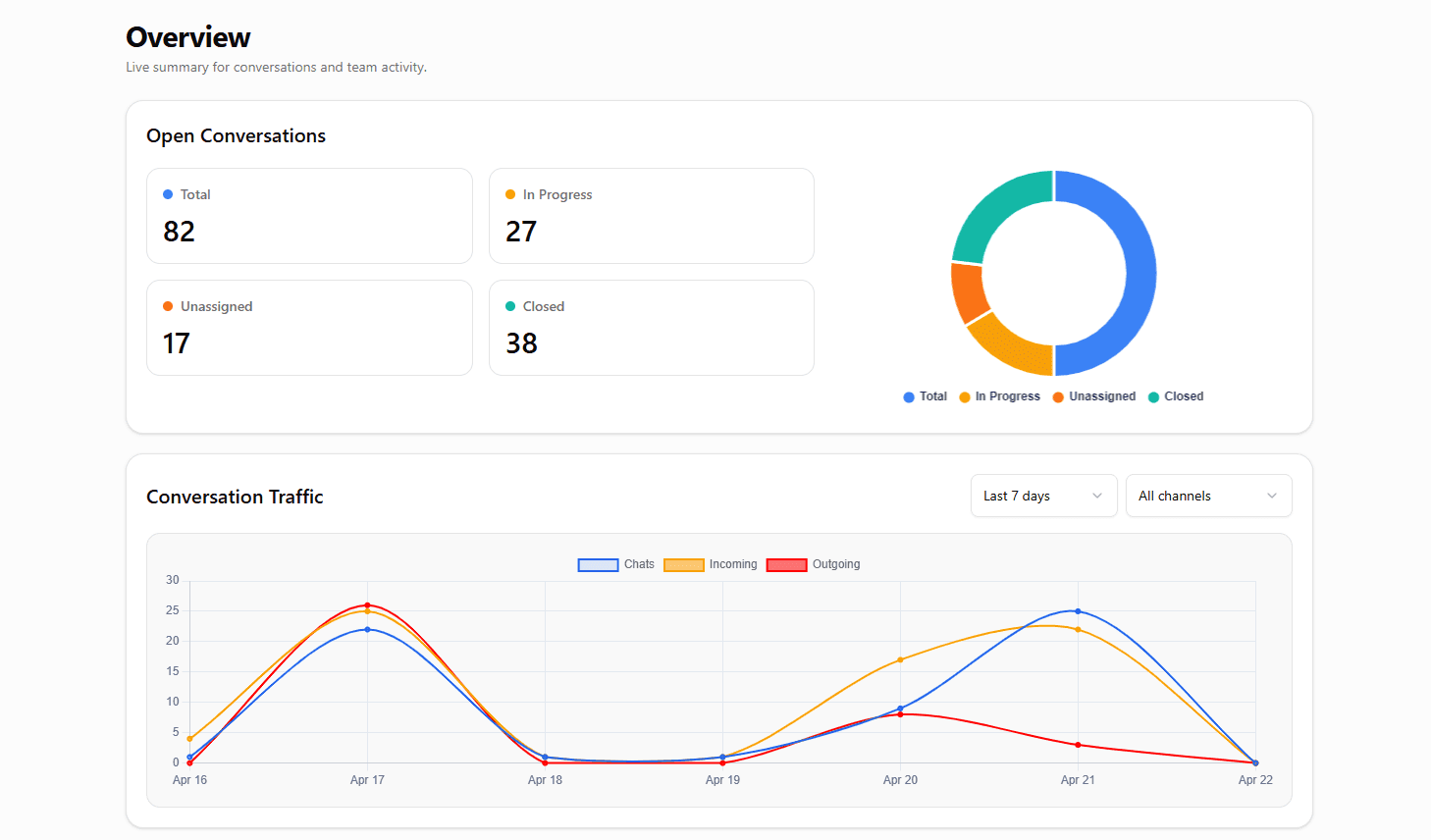
Open volume, traffic, resolutions, and operational visibility across the support desk.
Plan limits, cards, transactions, subscriptions, and workspace usage as part of the product itself.
Conversation desk
Open conversations
82
In progress
27
Unassigned
18
Resolution health
94%
Assigned / Unassigned
John Doe
Attachment shared / website channel
Desk Agent
Billing queue / email channel
Support feedback
CSAT submitted after closure
Traffic and load
Workspace layer
Operational premise
Conversations, agents, channels, reports, transactions, billing, and plan logic are already present in the product. The website should feel as mature as the system.
Channel configuration
Website channel
Branding, widget color, position, welcome flow
Email inbox
Channel-specific setup and communication handling
Collaborators
Type-aware access and ownership
Pre-chat form
Context gathering before the conversation starts
CSAT
Feedback collected after resolution
Reports
Live chat, email, tickets, collaboration, reporting, subscriptions, and workspace rules all behave as parts of the same operating system. That is the design language the portfolio should project from the first fold onward.
White space, routing lines, and clear hierarchy explain how the platform keeps support work coherent from first message to reporting and billing visibility.
Input
Branded widget, pre-chat forms, media sharing, reconnect history.
Input
A second communication channel inside the same support system.
Core
Assign, pick, escalate, track, and keep channel context intact.
Output
Traffic, resolution, visibility.
Output
Plans, transactions, usage limits.
Agent
Built for active conversations, reply flow, ownership, and resolution velocity.
Admin
Billing, assignments, collaborators, channel setup, and workspace governance live here.
Support teams need more than a chat surface. They need structure, speed, ownership, and visibility across the whole workspace.
EasySupport gives our team one place to see what is happening across chat, email, tickets, and workspace activity.
Maya Chen
Head of Support, SaaS Operations
The workspace model makes it easier to assign conversations, manage channels, and keep the team aligned without switching tools.
Omar Farooq
Customer Experience Lead
It feels less like a widget and more like an operating layer for customer communication and support workflows.
Elena Brooks
Founder, Product Studio
EasySupport gives our team one place to see what is happening across chat, email, tickets, and workspace activity.
Maya Chen2
Head of Support, SaaS Operations
The workspace model makes it easier to assign conversations, manage channels, and keep the team aligned without switching tools.
Omar Farooq2
Customer Experience Lead
It feels less like a widget and more like an operating layer for customer communication and support workflows.
Elena Brooks2
Founder, Product Studio